

In a world where screens seem to have taken over our lives, many find themselves trapped in a digital vortex. It’s like being in a relationship with your iPhone—one minute you’re checking the weather, and the next, you’re down a rabbit hole of cat videos. If that sounds familiar, it might be time to hit the brakes on your screen time.
Understanding Screen Time
Screen time encompasses the duration individuals spend using electronic devices. This usage includes smartphones, tablets, and computers, making it essential to understand its implications.
What Is Screen Time?
Screen time refers to the amount of time spent interacting with screens. It includes activities such as browsing social media, playing games, and watching videos. Devices like smartphones, tablets, and computers constantly engage users, often leading to prolonged usage. The average person spends nearly 7 hours daily on screens, according to studies by the Nielsen Company. This can impact mental health, sleep patterns, and even physical well-being.
Importance of Limiting Screen Time
Limiting screen time carries significant benefits for overall health. Research from the American Academy of Pediatrics highlights its role in improving physical activity levels and social interactions. Excessive screen time correlates with anxiety, depression, and attention issues in both children and adults. Setting boundaries around device usage fosters healthier habits and enhances productivity. By prioritizing real-world interactions over digital ones, individuals can strengthen relationships and improve emotional well-being.
Setting Up Screen Time on iPhone
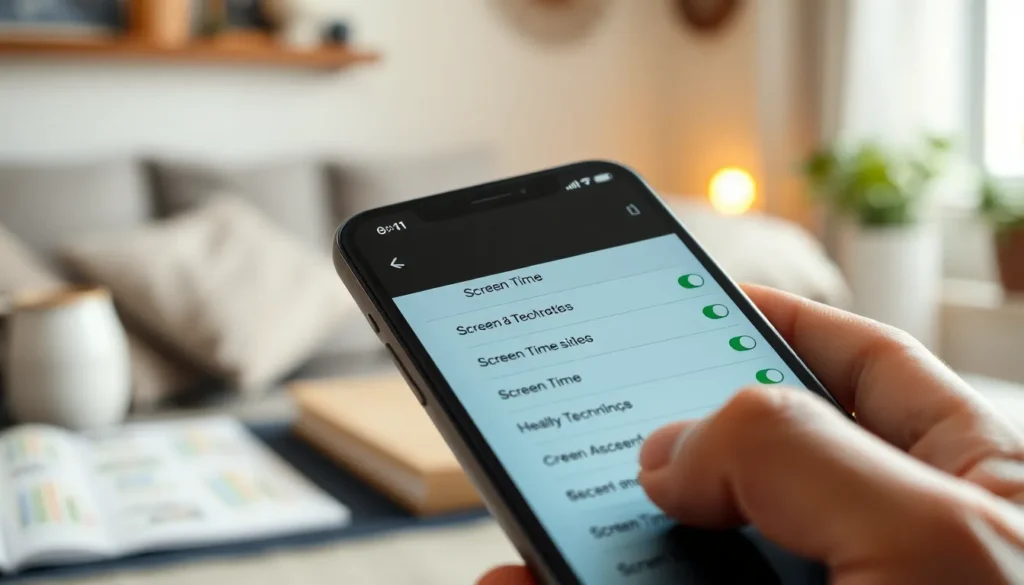
Setting up Screen Time on an iPhone allows users to manage device usage effectively. This feature is designed to promote healthier interactions with technology.
How to Access Screen Time Settings
To access Screen Time settings, open the Settings app. Scroll down until you find “Screen Time.” Tap on it to enter the main menu. Users then see options for setting up and customizing their screen time features. If it’s the first time accessing Screen Time, selecting “Turn On Screen Time” will prompt setup. Follow the prompts to configure settings based on specific needs and preferences.
Configuring Downtime and App Limits
Configuring Downtime is essential for setting boundaries on device usage. Users can choose specific hours when apps are limited. For example, setting Downtime from 10 PM to 7 AM encourages healthier sleep habits. To set App Limits, go back to the Screen Time menu. Choose “App Limits,” then select categories or specific apps to limit. Users can customize daily limits for various applications, helping prevent excessive usage. With these tools, iPhone users can regain control over their screen time effectively.
Strategies to Stop Screen Time Usage
Finding ways to reduce screen time enhances well-being. Implementing various strategies can lead to healthier habits.
Engaging Alternative Activities
Engagement in alternative activities serves as an effective distraction from screens. Outdoor activities like walking or cycling boost physical health and provide fresh air. Reading a book stimulates creativity and enhances cognitive function. Participating in hobbies such as painting or gardening fosters mindfulness. Physical games encourage social interaction and laughter, replacing digital engagement with authentic connection. Setting aside time for family board games creates stronger relationships and enjoyable experiences. Exploring new interests offers exciting ways to spend time without screens.
Creating a Screen-Free Environment
Establishing a screen-free environment significantly reduces temptation. Designating specific areas in the home, like bedrooms or dining tables, as screen-free zones encourages direct communication. Encouraging device-free family meals promotes connection and conversation. Reducing visual clutter from devices creates a more serene atmosphere. Implementing tech-free time blocks during the day helps everyone engage in real-world activities. Using physical reminders, like posters or cards, can reinforce the commitment to limited screen usage. Prioritizing interactions with family and friends fosters deeper relationships and emotional well-being.
Utilizing Built-In Features
iPhone users can leverage several built-in features to help manage screen time effectively.
Screen Time Notifications
Screen time notifications provide timely prompts about daily usage. Users receive alerts when nearing app limits, creating an opportunity for reflection. Notifications also help highlight excessive usage patterns, allowing for adjustments. These reminders can motivate individuals to prioritize activities outside screens. Acknowledging these notifications fosters awareness, helping users cultivate healthier habits.
App Tracking and Usage Reports
App tracking and usage reports deliver detailed insights into daily screen interaction. Users can view time spent on individual apps, enabling informed decisions about usage. Reports categorize app activity, revealing trends that may warrant attention. By analyzing this data, individuals can identify apps that contribute to excessive usage. Using these insights strategically empowers users to set realistic limits and prioritize healthier choices.
Encouraging Healthy Habits
Promoting healthy habits can significantly reduce screen time and improve overall well-being. Implementing structured strategies helps pave the way for success.
Setting Personal Goals
Establishing personal goals fosters accountability in screen time management. Users can set specific targets, like limiting daily usage to two hours for social media apps. Tracking progress reinforces commitment. For example, daily check-ins on usage encourage mindful interactions with devices. Additionally, creating smaller milestones can make the journey feel less overwhelming. Monthly evaluations enable users to adjust their goals based on personal experiences. Each achievement serves as motivation to continue reducing screen time effectively.
Involving Family and Friends
Including family and friends in screen time reduction efforts enhances support and accountability. Discussing goals with loved ones promotes shared commitment. Scheduling group activities, such as game nights or outdoor events, replaces screen time with quality moments. Creating technology-free zones during family gatherings encourages real-life interactions. Furthermore, fostering open communication about challenges can lead to better insights and solutions. Group challenges, such as digital detox weekends, strengthen communal bonds while promoting healthier habits. Engaging others adds an element of fun, making the journey toward reduced screen time more enjoyable.
Reducing screen time on an iPhone isn’t just about limiting device usage; it’s about enhancing overall well-being. By actively managing screen habits users can reclaim precious time for physical activities and meaningful interactions. Implementing features like Downtime and App Limits empowers individuals to take control of their digital lives.
Engaging in hobbies and fostering tech-free environments can strengthen relationships and improve mental health. With the right strategies and support from family and friends, it’s possible to create a more balanced lifestyle. Prioritizing real-world connections over screen time can lead to a happier and healthier life.